Nakamura
-
Posts
643 -
Joined
-
Last visited
-
Days Won
161
Content Type
Profiles
Forums
Events
Downloads
Age of Mythology Tournaments
Halo Wars 2 Tournaments
News
Age of Mythology News
Halo Wars 2 News
SpellForce 3 News
SpellForce 3 Tournaments
Age of Mythology Showmatches
Halo Wars 2 Showmatches
Subscriber News
SpellForce 3 Showmatches
Staff Applications
Affiliates
Company of Heroes 3 Tournaments
Company of Heroes 3 Showmatches
Company of Heroes 3 News
Cheating Reports
Store
Files posted by Nakamura
-
Meta Plays Casting Tool
Introduction:
We are pleased to share with you the Meta Plays Casting Tool, developed by Maguro and PF2K! They worked on it as a commission for Meta Plays, and this is a modified variant of the Starcraft Casting Tool. The difference is that we support multiple games, and have a player color picker!
The goal of this software is to increase the quality of tournament streams by adding high quality score boards and player introductions with an easy GUI to control it all.
Everyone is welcome to make use of it. We would appreciate if you could set up stream commands or link to this post in Youtube, for those that may be wondering where to get this.
Supported Games:
Age of Empires IV Age of Empires Online Age of Mythology Retold Age of Mythology (Legacy) Company of Heroes 3 Halo Wars 2 Spellforce 3 StarCraft II (Intro panels only) Warcraft III First Time Setup:
After downloading and extracting the tool, simply launch the executable. I recommend placing it in its own folder, and adding that folder to antivirus exceptions.
To start off, create your own profile. This will update your casting tool with the latest art assets for all our supported games. Feel free to delete the default profile.
Next up, select the game you want to use the Tool for. This will select the correct factions available for the dropdowns. You can freely cycle this at any point.
Next up, you will need to add 2 browser sources to your streaming software - one for the intros, another for the score board. The browser sources menus contain the URLs that you can copy directly from the app. Make sure that the source resolution matches your base resolution (the art is designed for full screen).
Note: the base resolution of all score sources should be 1920 x 1080, except for Age of Mythology Retold. There it's 2560 x 1440. Please scale accordingly in OBS. For those using multiple games, this means that your AoMR setup should be separate to avoid regular rescaling.
Triggering Intros, Updating Scores and Factions
1- update the faction of the player on the matching side
2- grant a win to the player on the matching side
3- alter the size of the series
4- alter the color of the player
Note: updating the faction of matches that were already played will update all future matches. You want to update the appropriate match's faction to get everything displaying correctly.
With the above setup, you should be seeing something like this in your streaming app!
Feel free to post here about any questions, or technical issues that you are having! Or post good practices for others to make use of.
Also please share the tool with others that may benefit from it - we want this tool to have as wide of a reach as possible to increase the quality of all community streams! It's as much for you as it is for us!
Known Issues:
None at the moment. Let us know if you find any.
135 downloads
(2 reviews)0 comments
Updated
-
 (0 reviews)
0 comments
Submitted
-

AoM EE Baldr's Betrayal
By Nakamura in AoM Replay Packs
This replay pack requires the Meta Plays Balance Mod.
Brackets:
3 downloads
(0 reviews)0 comments
Updated
-
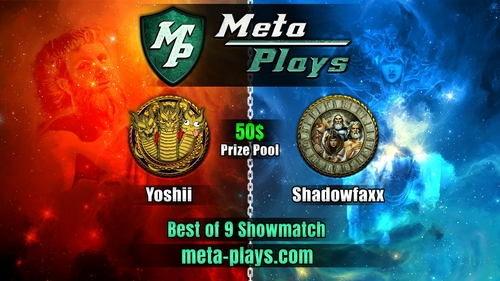
AoM EE Yoshii vs Shadowfax BO 9 Meta Plays Showmatch
By Nakamura in AoM Replay Packs
Showmatch page:
2 downloads
(0 reviews)0 comments
Updated
-

AoM EE Meta Plays Skirmish #4
By Nakamura in AoM Replay Packs
This replay pack requires the Meta Plays Balance Mod.
Brackets:
2 downloads
(0 reviews)0 comments
Submitted
-

AoM EE Meta Plays Monthly #11
By Nakamura in AoM Replay Packs
This replay pack requires the Meta Plays Balance Mod.
Brackets:
8 downloads
(0 reviews)0 comments
Submitted
-
Nakamura vs Volt $100 BO 7 Showmatch
By Nakamura in AoM DM Replay Packs
Bo 7 showmatch hosted by @strausshaus.
Cast by @Boit
https://www.twitch.tv/videos/1082432931
16 downloads
(0 reviews)0 comments
Submitted
-
AoM Rise of the Phoenix (Voobly)
By Nakamura in AoM Replay Packs
Replay pack for the first Meta Plays tournament for Age of Mythology. Requires Voobly and Voobly Balance Patch 5.0. https://www.voobly.com/gamemods/mod/1495/Voobly-Balance-Patch-50-Blind-Pick
Brackets can be seen at:
7 downloads
(0 reviews)0 comments
Updated
-
Naka's DM Replay Pack: Voobly Fan Patch 2.2
By Nakamura in AoM DM Replay Packs
Some old replays I had laying around - thought I'd share in case anyone is interested in how DM was played around the mid 2010s.
Requires Voobly, and the Fan Patch 2.2 mod: https://www.voobly.com/gamemods/mod/186/Fan-Patch-22
14 downloads
(0 reviews)0 comments
Updated
-
Naka's DM Replay Pack: Voobly DM Patch 2015
By Nakamura in AoM DM Replay Packs
Misc Tournament, showmatch and friendly match recs from the 2015-2017 Voobly DM era.
Requires Voobly and the DM Patch 2015 mod: https://www.voobly.com/gamemods/mod/200/DM-Patch-2015
15 downloads
(0 reviews)0 comments
Updated
-
Shelty's 1 Day DM Tourney Finals: Voobly DM Patch 2017
By Nakamura in AoM DM Replay Packs
Unfortunately the only games I have saved from this tournament.
Magic vs me BO 3.
Requires Voobly and the DM Patch 2017 mod here: https://www.voobly.com/gamemods/mod/791/DM-Patch-2017
15 downloads
(0 reviews)0 comments
Updated
-
Nakas DM Tourney March 2020: Voobly DM Patch 2020
By Nakamura in AoM DM Replay Packs
Some of the replays from my 2020 March DM tourney. Requires Voobly and DM Patch 2020: https://www.voobly.com/gamemods/mod/1331/DM-2020
Brackets: https://challonge.com/nakadeathmatchmarch2020
17 downloads
(0 reviews)0 comments
Updated
-
DM Patch 2020 Tooltips
By Nakamura in AoM General Mods
Tooltips for the DM Patch 2020, available on voobly. Required as voobly doesn't allow for automatic installation of this file type.
To install, extract the dll file, and place it in your mod installation folder, which by default should be:
C:\Program Files (x86)\Microsoft Games\Age of Mythology\Voobly Mods\AOMT\Data Mods\DM 2020
64 downloads
(0 reviews)0 comments
Updated
-
Who's Online 1 Member, 0 Anonymous, 25 Guests (See full list)